

Last Updated: June 01, 2026
- Python dynaconf Settings: Quick Example
- What Is dynaconf and Why Use It?
- Installing dynaconf
- Layered Environments
- Environment Variable Overrides
- Using a .env File for Secrets
- Validating Settings at Startup
- Real-Life Example: Flask App Configuration
- Frequently Asked Questions
- Conclusion
- Related Articles
Intermediate
Every Python application eventually needs to behave differently depending on where it is running. Your development machine uses a local SQLite database, your staging server talks to PostgreSQL, and production has its own credentials that nobody hard-codes in version control. Managing this through a tangle of if os.environ.get() calls and multiple config files that fall out of sync is one of the most tedious parts of building real applications.
Dynaconf solves configuration management cleanly. It reads settings from environment variables, .env files, TOML, YAML, JSON, or INI files — in a layered, precedence-aware way — and exposes them as a simple settings object. Switching environments is a single environment variable. Built-in validators let you catch missing or malformed config at startup rather than discovering the problem at 2am when a database connection fails.
This article covers installing dynaconf, the basic settings object, layered configuration files, environment-based overrides, validators, and a real-world web app config pattern. By the end you will have a configuration system that scales from a weekend project to a production deployment without becoming a maintenance burden.

Python developer and educator with 15+ years building production systems across data engineering, web APIs, and AI tooling. Founder of Python How To Program — 270+ in-depth tutorials covering the modern Python stack.
View all tutorials by Pubs →Python dynaconf Settings: Quick Example
Here is the smallest possible dynaconf setup — a settings.toml file and a Python script that reads from it:
# settings.toml
[default]
app_name = "MyApp"
debug = false
max_connections = 10
database_url = "sqlite:///local.db"
# quick_dynaconf.py
from dynaconf import Dynaconf

settings = Dynaconf(settings_file="settings.toml")

print(settings.APP_NAME)
print(settings.DEBUG)
print(settings.MAX_CONNECTIONS)
print(settings.DATABASE_URL)
Output:
MyApp
False
10
sqlite:///local.db
Dynaconf automatically uppercases setting names — you write app_name in the file and access it as settings.APP_NAME. Types are preserved: false in TOML becomes a Python bool, 10 becomes an int. The sections below show how to add multiple environments, override with environment variables, and validate settings at startup.
What Is dynaconf and Why Use It?
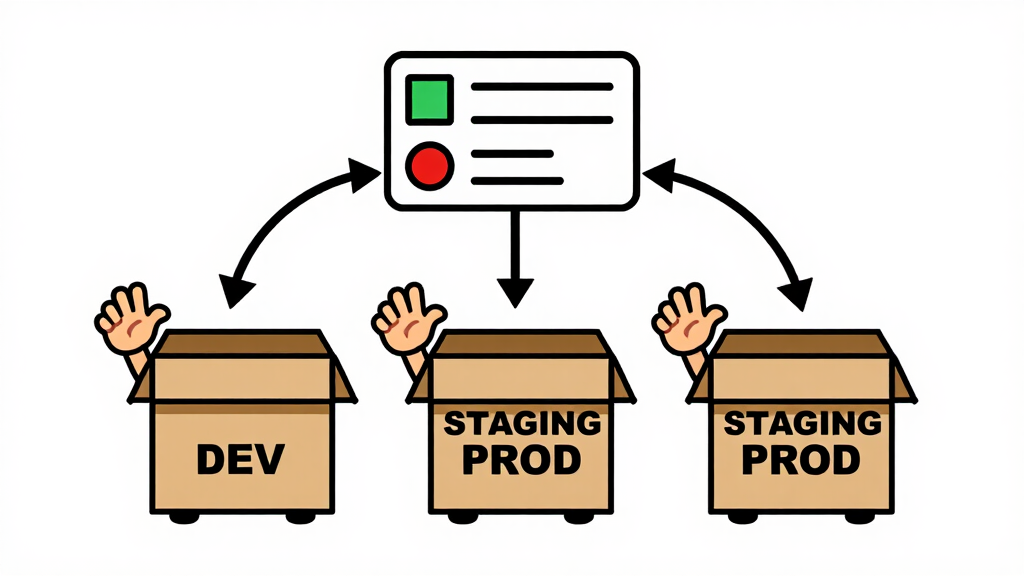
Dynaconf is a configuration management library that brings twelve-factor app principles to Python without the boilerplate. The core idea is a settings hierarchy: default values in a file, environment-specific overrides layered on top, and environment variables at the highest priority so they can always override anything below them. This matches how real applications are deployed — defaults in version control, secrets in the environment.
| Feature | os.environ | python-dotenv | dynaconf |
|---|---|---|---|
| Multiple environments | Manual | Manual | Built-in |
| Type coercion | No (strings only) | No (strings only) | Yes (int, bool, list, dict) |
| Validation | No | No | Yes |
| File formats | env only | .env only | TOML, YAML, JSON, INI, .env |
| Layered overrides | No | No | Yes |
Plain os.environ is fine for a script with two settings. Once you have environments, types, and validation requirements, dynaconf’s structure pays for itself quickly. The settings object is also easier to mock in tests than scattered os.environ.get() calls.
Installing dynaconf
# terminal
pip install dynaconf
Output:
Successfully installed dynaconf-3.2.4
Dynaconf has no required dependencies beyond the Python standard library. Optional extras add support for specific file formats: pip install dynaconf[yaml] adds PyYAML tupport, pip install dynaconf[toml] adds tomli for Python 3.10 and below (3.11+ has tomllib built-in). TOML is the recommended format and works without extras on modern Python.
Layered Environments
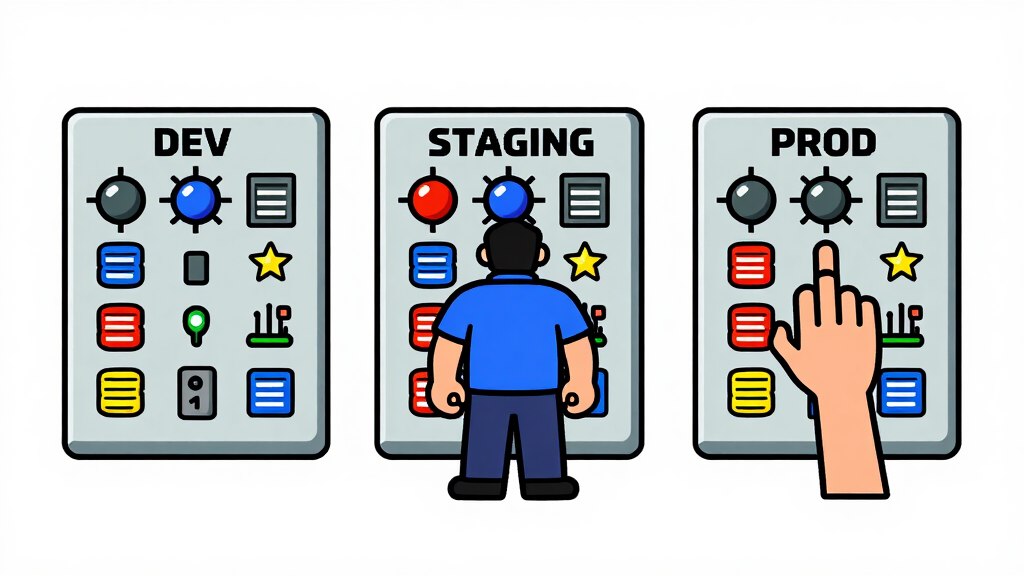
Dynaconf’s most useful feature is layered environments in a single settings file. A [default] section provides base values; named environment sections override only what changes:
# settings.toml
[default]
app_name = "MyApp"
debug = false
log_level = "INFO"
database_url = "sqlite:///app.db"
max_connections = 10

[development]
debug = true
log_level = "DEBUG"
database_url = "sqlite:///dev.db"

[testing]
database_url = "sqlite:///:memory:"
max_connections = 2

[production]
log_level = "WARNING"
max_connections = 50
# read_environments.py
import os
from dynaconf import Dynaconf

# Switch environment by setting ENV_FOR_DYNACONF
os.environ["ENV_FOR_DYNACONF"] = "development"

settings = Dynaconf(settings_file="settings.toml", environments=True)

print("Environment:", settings.current_env)
print("Debug:", settings.DEBUG)
print("Log level:", settings.LOG_LEVEL)
print("Database:", settings.DATABASE_URL)
print("Max conn:", settings.MAX_CONNECTIONS)
Output:
Environment: DEVELOPMENT
Debug: True
Log level: DEBUG
Database: sqlite:///dev.db
Max conn: 10
The development section overrides debug, log_level, and database_url but inherits max_connections from default. Switching to production is just changing one environment variable — no code changes, no file swaps, no manual conditionals. In a deployment pipeline you set ENV_FOR_DYNACONF=production in the server’s environment and the app picks up the right settings automatically.
Environment Variable Overrides
Any setting can be overridden from the shell using the DYNACONF_ prefix (or a custom prefix you configure). Environment variables always win over file values, which makes them ideal for secrets that should never be committed to version control:
# env_override.py
import os
from dynaconf import Dynaconf

# These would typically come from the server environment or a secrets manager
os.environ["DYNACONF_DATABASE_URL"] = "postgresql://user:secret@db.prod.example/myapp"
os.environ["DYNACONF_MAX_CONNECTIONS"] = "100"

settings = Dynaconf(settings_file="settings.toml")

print("Database:", settings.DATABASE_URL)
print("Max conn:", settings.MAX_CONNECTIONS)
print("Type:", type(settings.MAX_CONNECTIONS))
Output:
Database: postgresql://user:secret@db.prod.example/myapp
Max conn: 100
Type: <class 'int'>
Notice that MAX_CONNECTIONS is still an integer even though environment variables are inherently strings. Dynaconf detects the type from the original settings file definition and casts the override to match. This prevents the classic bug where os.environ.get("MAX_CONNECTIONS", 10) returns a string that crashes when you try to use it as a number.
Using a .env File for Secrets
Dynaconf natively reads .secrets.toml and .env files. The convention is to keep non-sensitive defaults in settings.toml (committed to version control) and secrets in .secrets.toml (git-ignored):
# .secrets.toml  (add to .gitignore)
[default]
secret_key = "dev-only-key-change-in-production"
api_key = "sk-test-abc123"
smtp_password = "devpassword"
# read_secrets.py
from dynaconf import Dynaconf

settings = Dynaconf(
    settings_file=["settings.toml", ".secrets.toml"],
    environments=True,
)

print("App:", settings.APP_NAME)
print("Secret key starts with:", settings.SECRET_KEY[:8], "...")
print("API key starts with:", settings.API_KEY[:8], "...")
Output:
App: MyApp
Secret key starts with: dev-only ...
API key starts with: sk-test- ...
The settings_file parameter accepts a list. Dynaconf merges all files in order, with later files winning on conflicts. This pattern — base settings in settings.toml, secrets in .secrets.toml — is dynaconf’s recommended convention. The .secrets.toml file goes in .gitignore immediately and is replaced by real environment variables or a secrets manager in production.

Validating Settings at Startup
Dynaconf’s validator system lets you declare which settings are required and what constraints they must satisfy. Validation runs when the settings object is created, so misconfiguration is caught immediately — not buried in a runtime error three calls deep:
# validate_settings.py
from dynaconf import Dynaconf, Validator

settings = Dynaconf(
    settings_file="settings.toml",
    validators=[
        Validator("APP_NAME", must_exist=True),
        Validator("MAX_CONNECTIONS", must_exist=True, gte=1, lte=500),
        Validator("LOG_LEVEL", must_exist=True, is_in=["DEBUG", "INFO", "WARNING", "ERROR"]),
        Validator("DATABASE_URL", must_exist=True, startswith="sqlite"),
    ]
)

print("All settings valid!")
print("App:", settings.APP_NAME)
print("Max connections:", settings.MAX_CONNECTIONS)
Output (valid config):
All settings valid!
App: MyApp
Max connections: 10
Output (if LOG_LEVEL were missing or invalid):
dynaconf.validator.ValidationError: LOG_LEVEL must be one of ['DEBUG', 'INFO', 'WARNING', 'ERROR']
Validators support must_exist, eq, ne, lt, gt, lte, gte, is_in, is_not_in, startswith, endswith, and custom condition callables. Catching a missing DATABASE_URL at startup with a clear error message is far better than getting a cryptic AttributeError when your app tries its first database query.
Real-Life Example: Flask App Configuration
Here is a realistic pattern for a Flask application using dynaconf across three environments:
# settings.toml
[default]
app_name = "TaskTracker"
debug = false
log_level = "INFO"
database_url = "sqlite:///tasks.db"
secret_key = "change-me"
items_per_page = 20
allowed_hosts = ["localhost", "127.0.0.1"]

[development]
debug = true
log_level = "DEBUG"

[testing]
database_url = "sqlite:///:memory:"
secret_key = "test-key-not-secret"

[production]
log_level = "WARNING"
items_per_page = 50
# config.py
from dynaconf import Dynaconf, Validator

settings = Dynaconf(
    envvar_prefix="TASKTRACKER",
    settings_file=["settings.toml", ".secrets.toml"],
    environments=True,
    load_dotenv=True,
    validators=[
        Validator("SECRET_KEY", must_exist=True),
        Validator("DATABASE_URL", must_exist=True),
        Validator("ITEMS_PER_PAGE", gte=1, lte=200),
    ]
)
# app.py
import os
from flask import Flask
from config import settings

os.environ["ENV_FOR_DYNACONF"] = "development"

app = Flask(__name__)
app.config["SECRET_KEY"] = settings.SECRET_KEY
app.config["SQLALCHEMY_DATABASE_URI"] = settings.DATABASE_URL
app.config["DEBUG"] = settings.DEBUG

@app.route("/config-info")
def config_info():
    return {
        "env": settings.current_env,
        "debug": settings.DEBUG,
        "db": settings.DATABASE_URL,
        "per_page": settings.ITEMS_PER_PAGE,
    }

if __name__ == "__main__":
    print(f"Starting {settings.APP_NAME} in {settings.current_env} mode")
    app.run(debug=settings.DEBUG)
Output:
Starting TaskTracker in DEVELOPMENT mode
 * Running on http://127.0.0.1:5000
The custom envvar_prefix="TASKTRACKER" means overrides use TASKTRACKER_DATABASE_URL instead of DYNACONF_DATABASE_URL, which avoids conflicts if multiple dynaconf-based apps run on the same machine. In production you set ENV_FOR_DYNACONF=production and TASKTRACKER_SECRET_KEY=your-real-key in the server environment and everything else comes from the file defaults — no code changes required.
Frequently Asked Questions
Does dynaconf have built-in Flask and Django integration?
Yes. Dynaconf ships with official extensions for both frameworks. For Flask, call FlaskDynaconf(app) from dynaconf.contrib.flask_dynaconf to automatically sync settings to app.config. For Django, set DJANGO_SETTINGS_MODULE and add from dynaconf import settings to your settings file. Both integrations are documented on the dynaconf website with working examples.
How do I handle secrets in production with dynaconf?
The recommended pattern is: keep defaults in settings.toml (committed), keep development secrets in .secrets.toml (git-ignored), and inject production secrets as environment variables with the DYNACONF_ (or custom) prefix. This way secrets never live in version control and can come from a secrets manager like AWS Secrets Manager or HashiCorp Vault that injects them as environment variables at container startup.
Can dynaconf reload settings without restarting the app?
Yes. Call settings.reload() to re-read all configured files and environment variables. This is useful in long-running services where you want to pick up a configuration change without a restart. Be careful with thread safety if multiple threads access settings simultaneously during a reload — dynaconf does not lock the settings object during reload.
How do I store lists and dicts in dynaconf settings?
TOML natively supports lists (allowed_hosts = ["a.com", "b.com"]) and inline tables. In environment variables, use dynaconf’s special notation: DYNACONF_ALLOWED_HOSTS='@json ["a.com", "b.com"]' for JSON-parsed values. The @json prefix tells dynaconf to parse the value as JSON rather than a plain string. For nested dicts use @json {"key": "value"}.
How do I override settings in tests?
Use dynaconf’s settings.configure() method or the context manager with settings.using_env("testing"): to temporarily switch environments. For pytest, create a conftest.py fixture that calls settings.configure(DATABASE_URL="sqlite:///:memory:") before each test and resets it after. Dynaconf’s test environment section in settings.toml is the cleanest approach for consistent test isolation.
Conclusion
Dynaconf replaces scattered os.environ.get() calls with a structured, validated, environment-aware settings object. The layered configuration system handles the dev/staging/production split cleanly: defaults in a committed file, environment overrides via variables, secrets in a git-ignored file or injected at deploy time. Validators catch missing and malformed config at startup so errors surface immediately rather than at runtime.
Try extending the Flask example by adding a [staging] environment section and a validator for ALLOWED_HOSTS that checks the list is non-empty. Then set ENV_FOR_DYNACONF=staging and watch dynaconf pick up the right values automatically. Once you have used it on a real project, going back to manual environment variable parsing will feel like writing assembly.
Full documentation, including Django integration and secrets management guides, is at the official dynaconf website.
Related Articles
- How To Use Pydantic Settings for Configuration Management in Python
- How To Use Python uv for Modern Package Management
- How To Use Python poetry for Dependency and Project Management
- How To Use Python questionary for Interactive CLI Prompts
- How To Use Python memray for Memory Profiling
- How To Use Python beartype for Runtime Type Checking
- How To Implement Retry Logic in Python with Tenacity
Continue Learning Python
Tutorials you might also find useful:
- How To Use Python Contextlib for Resource Management
- How To Use ConfigParser For Configuration Files In Python 3
- How To Use Python poetry for Dependency and Project Management
- How To Use Python shutil for File Management and Archives
- Understanding Python Memory Management and Garbage Collection
- How To Use Python TOML For Configuration Files Instead of INI